
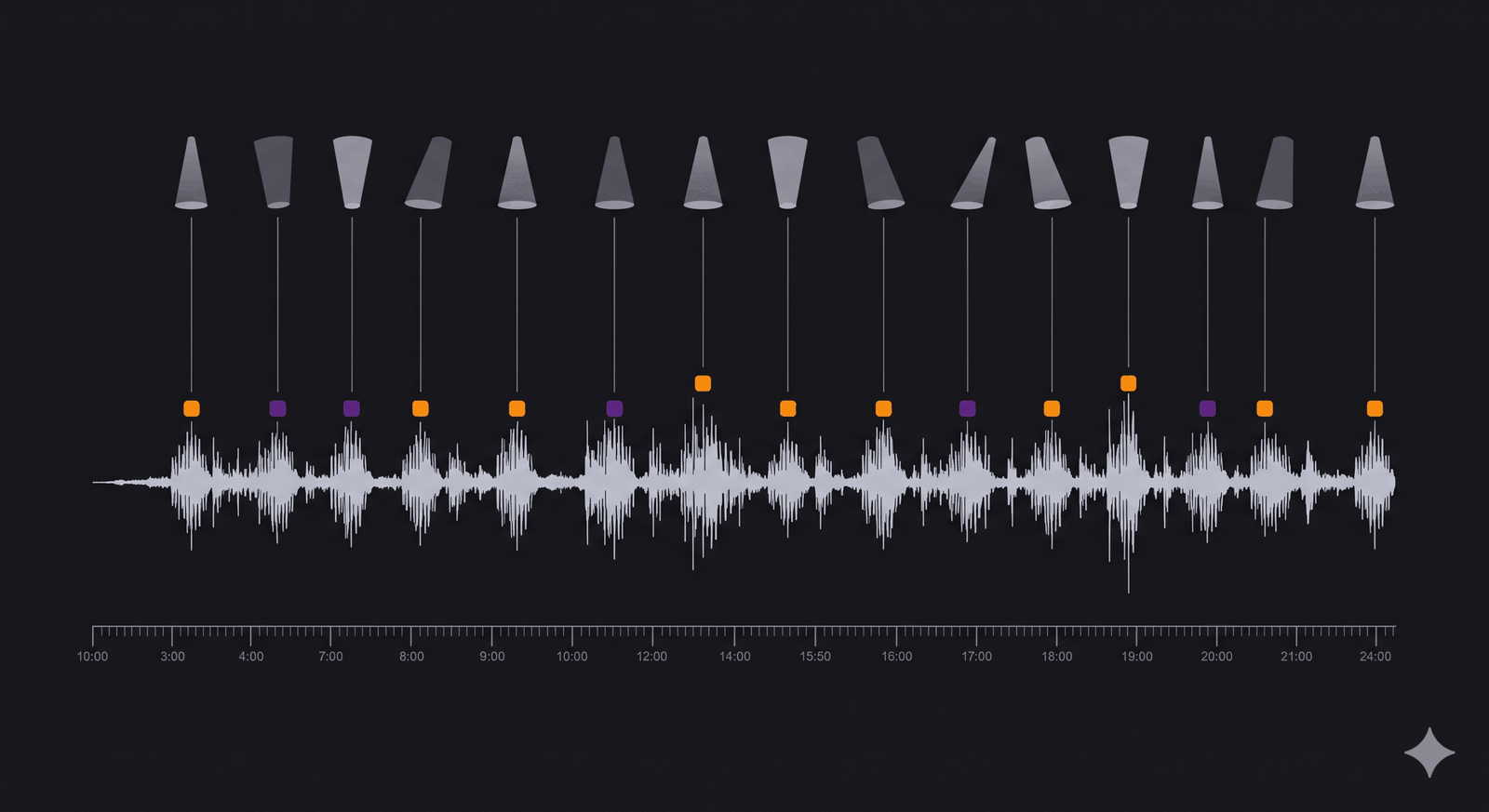
Every lighting cue you see land on the beat at a big show was put there on purpose. Nobody pressed GO at exactly the right millisecond. A programmer placed that cue on a clock, weeks or days before the audience walked in. This grandMA3 timecode tutorial shows you how that works, step by step, the way we teach it on real consoles at IIED.
Here is the short answer first. Timecode is a running clock tied to your music track. On grandMA3, you place cues on that clock, so the show plays back the same way every single time. Festival sets, concerts, wedding sangeet performances, cruise ship shows and theme-park shows all run on it. A live DJ night where you busk along with the music does not need it.
IIED COURSE
GrandMA3 Mastery Program
Want to build a timecoded show yourself? This is where our students programme theirs, on real grandMA3 consoles.
Duration: 1 month · Mode: In-person in Mumbai
This grandMA3 timecode tutorial is written for working lighting people. If you are a technician, a lightman or a wedding and event operator with a year or two on the job, you already know how to patch a rig and fire a few cues. What you may not have done yet is lock a full show to a song. That is the jump from operator to programmer, and it is a very learnable skill.
If you are a recent graduate or an event management student who keeps hearing the phrase “programming a show” and wonders what it actually means, this is for you too. By the end you will know exactly what happens inside the console, and whether it is a skill you could pick up in a month.
Table of Contents
What Is grandMA3 Timecode, and When Should You Use It?
grandMA3 timecode is a show clock. It counts hours, minutes, seconds and frames from the start of your track. When you record cues into a timecode show, the console remembers the exact moment each one should fire. Press play and the console runs the whole sequence for you, to the frame.
That sounds simple. The value is in the repeatability. A dance group rehearsing a sangeet number will run it ten times before the wedding. A corporate launch will rehearse the reveal three times on show day. With timecode, the lighting does the same thing in every run. Your job shifts from chasing the music to designing the moments.
Three ways to run a lighting show
Before you pick timecode, understand the alternatives. Every grandMA3 programmer uses all three, depending on the gig.
| Method | How it works | Best for |
|---|---|---|
| Busking | You build pages of looks, effects and phasers, then play them live by feel. | DJ sets, club nights and bands that change the set list on the fly. |
| Cue list with GO | You build a sequence of cues and an operator presses GO on a cue call. | Theatre, award shows and anything led by a show caller or a stage manager. |
| Timecode | Cues fire automatically, locked to the audio or to an external clock. | Any show where the music, video or effects are fixed and must hit the same marks every time. |
Most real shows mix them. A concert might busk the songs and run a timecoded intro. A wedding might run a timecoded couple entry, then hand over to a busking page for the dance floor.
When a timecode lighting show is the right call
Use timecode when three things are true. The music is fixed. The show will be repeated or rehearsed. And other departments need the lighting to hit exact marks. That last point matters more than people think. When video content, confetti, CO2 jets or cold pyro are triggered on the same clock, everyone lands together.
If you are new to the idea of linking light with sound, start with the basics of syncing lights with audio. That post covers the general concept. This one is about the grandMA3-specific workflow.
Before You Start: Prep for a Timecode Lighting Show
Before you follow any grandMA3 timecode tutorial, know this. Every experienced programmer will tell you the same thing. The time you spend on the timeline depends on the time you spent before it. A well-prepared showfile turns a three-minute song into an evening of programming. A messy one turns it into three nights.
1. Get the final audio, not the rough cut
Ask the choreographer, DJ or show director for the final edit of the track. Confirm it in writing. If the edit changes after you programme, every cue after the change moves. On a wedding job this happens often, so build the habit of locking the audio version early. Keep the file trimmed to the exact start point the show will use.
2. Patch the rig and build your groups
Patch every fixture correctly, with the right modes and addresses. Then build groups that make sense for the music: front wash, back beams, side lights, floor pixels, audience blinders. When the chorus hits, you want to grab “all back beams” in one touch, not select twelve fixtures by hand.
3. Build a preset library
Presets are your vocabulary. Store colour, position, beam and gobo presets before you go near the timeline. If the client asks for the bridge to go from purple to amber, you change one preset and every cue that uses it updates. Without presets, you hunt through dozens of cues one by one.
4. Plan your sequences
Decide how you will split the show into sequences. Some programmers use one long sequence for the whole song. Others use separate sequences for the main look, the effects and the specials. There is no single right answer, but decide before you record. This is exactly the order we teach in the first phase of the course: setup, patch, groups, presets, then sequences.
If this list feels like a lot, read our honest take on whether grandMA3 is hard to learn. The short version: the logic is learnable, and prep is where that logic lives.
grandMA3 Timecode Tutorial: The Workflow in 6 Steps
Now for the core of this grandMA3 timecode tutorial. The steps below follow the logic in MA Lighting’s own documentation. Menu names and defaults can shift between software versions, so keep the official grandMA3 timecode show manual open for the version on your console or onPC.
Step 1: Create a timecode show in the Timecode pool
Every timecode show lives as an object in the Timecode pool. Store or edit an empty pool object to create a new show. It starts with default settings. Give it a clear name, such as the song title and the event, so you can find it fast on show day.
Check the time source next. The TC Slot setting decides where the clock comes from. A new show uses the internal clock by default, which is what you want while you programme in the studio. You can later point it at one of the timecode slots if an external source will drive the show.
Step 2: Add the audio and check the waveform
This is the grandMA3 audio sync step that makes the job far easier. Import your audio file into the Sounds pool. Then edit the timecode show, open its track group and assign the sound to a track. The console draws the waveform of the track right on the timeline.
That waveform is your map. You can see the kick drums, the drops and the quiet bridge. Instead of guessing by ear, you place cues where the peaks are. One practical note: the Sounds pool has a total size limit, so keep files to the length the show needs.
Step 3: Build your sequences and cues
Using the groups and presets you prepared, build the looks the song needs. Store them as cues in your sequences. Think in sections: intro, verse, pre-chorus, chorus, bridge, final hit. You are not timing anything yet. You are building the pieces you will place on the clock.
Step 4: Record cues against the timeline
Now you record. With the timecode show in setup, start recording with the Record keyword or the record button on the playback toolbar. Play the track. As the clock runs, the console records the executor actions you trigger, such as GO presses and fader moves, as events on the relevant tracks.
Go section by section. Many programmers do a rough first pass of the main cues, then a second pass for accents and effects. The Playback and Record setting controls what is captured. Manual Events, the default, records only the actions you trigger. All Events records everything, including follow cues. Know which one you are in before you hit record.
Step 5: Edit and nudge timing in the timecode editor
Your first pass will not be perfect, and it should not be. Open the grandMA3 timecode editor and look at the events against the waveform. Drag an event that landed a little late. Add single events with the cursor or the Add tool. Add a run of events at a set interval when you need a steady pulse.
Keep tracks organised inside track groups. Tracks must live inside a track group, so plan a group per sequence or per part of the rig. A clean timeline is one you can fix in five minutes when the director asks for a change ten minutes before doors.
Step 6: Test, loop and lock
Play the full show from the top. Then play it again. Watch the stage or the 3D visualiser, not the screen. Loop the tricky sections until every hit lands. Save the showfile, then save a backup copy to a separate drive.
If the show will be driven by an external clock, test that too. A timecode slot can take SMPTE, MIDI or Art-Net timecode from a playback system or a video server. When the show is waiting for that external signal, it sits in a pending state, and the timeline starts moving only when the signal arrives. Test the full signal chain at the venue, not just in the studio.
Real Student Showfiles and 5 Common grandMA3 Timecode Mistakes
Reading a grandMA3 timecode tutorial is useful. Watching a finished timecoded show is better. The showfiles below were programmed by Ritesh Khichariya, a Lighting Design alumnus of IIED. Ritesh spent two to three years as a lighting operator before he moved from Raipur to Mumbai to study lighting design properly. Today he works as a Lighting Operator and Designer at Show Genesis in Mumbai, at ₹40,000 a month.
Three real student showfiles
When you watch them, look past the colours. Watch where the big changes land against the beat. Notice the moments where the rig goes still. Restraint is a timecode skill too. A show that hits every beat is tiring. A show that hits the right beats feels designed.
5 common grandMA3 timecode mistakes (and how to avoid them)
These are the mistakes we see most often from operators working through their first grandMA3 timecode tutorial. None of them are about talent. All of them are about habits.
- Cueing by ear without a waveform. Your ear is good, but it drifts. Load the audio, read the waveform and place cues on the peaks. Use your ear to check, not to place.
- No preset library. If every cue holds hard-coded values, every client change is a rebuild. Presets turn a two-hour fix into a two-minute one.
- Programming on a rough-cut track. If the music edit changes, your timing breaks. Lock the audio version before you record a single event.
- No loop test or backup. Run the show top to bottom at least twice before handover. Keep a backup showfile on a separate drive. Consoles and laptops fail at the worst moments.
- Ignoring the rig between venues. A wedding show that toured from a Mumbai banquet hall to a Udaipur lawn will not have the same rig. Build with groups and presets so the show adapts. On grandMA3, tools like cloning help you move programming to a different rig.
How to Program Lighting to Music as a Career: How We Teach It at IIED
Learning how to program lighting to music is not just a technical trick. In India, it is a skill with steady demand, and November proves it. Peak wedding season and the festival calendar mean sangeet performances, couple entries, Diwali shows and corporate year-end nights, all built on fixed tracks and rehearsed choreography.
Where timecode work shows up in India
| Where | What the work looks like |
|---|---|
| Wedding sangeets and couple entries | choreographed family performances on fixed tracks, rehearsed over several days. |
| Concerts and festivals | intros, drops and show-opening moments locked to playback. |
| Corporate launches and award nights | product reveals where lighting, video and effects must land together. |
| Cruise and theme-park shows | the same show, played many times a week, with no room for drift. |
Who learns this skill, and where it leads
The people who come to learn timecode are rarely beginners with nothing. Most already work around light. Tushar is a good example. He worked as a lightman on film lighting crews and wanted to run the console instead of carrying the fixtures. After GrandMA3 Training at IIED, he became a Lighting Operator at Pluto Disco Light, earning ₹30,000 a month in hand.
Sanket came with five to six years of theatre lighting experience from Pune, working on big shows across India. He added grandMA3 programming to that experience, and it led to a cruise ship opportunity. His story shows what happens when real experience meets console skill: international doors open.
Then there is Jerry. He came from Jamaica, with more than 20 years as a lighting designer and an established lighting vendor business, to learn grandMA3 at IIED. When a 20-year professional travels across the world to train somewhere, it tells you the training is practical and current.
For a fuller picture of roles and pay, read our guide to a grandMA3 career in India.
How the GrandMA3 Mastery Program teaches timecode
If you are looking for a lighting programming course in India that teaches this exact workflow, here is how ours works. The GrandMA3 Mastery Program runs for one month and adds up to 74 hours: 24 hours of live training and 50 hours of dedicated self-paced practice on the console. You train hands-on, in small batches, at our centre in Malad, Mumbai.
The course runs in two phases. The foundational phase covers the software philosophy, hardware, setup, patch, views, the programmer, presets, sequences and tracking. That is the prep you read about above. The advanced phase covers macros, timecode for synchronised shows, recipes, phasers, partial show read and cloning, so your showfiles can adapt to any rig.
The practical deliverables are real showfiles, not worksheets. One of them is exactly the skill in this grandMA3 timecode tutorial: a Timecoded Performance, a 3-minute sequence synced to audio. You leave with a show you programmed yourself and can play back for anyone who asks what you can do.
Our lighting training is shaped by working professionals. Lloyd Albuquerque, who has been a professional lighting designer for 20 years and set up LGL Designs in 2003, mentors our lighting students. For the full hour-by-hour breakdown, see our post on grandMA3 workshop training in India. For fees and the selection process, check the GrandMA3 Mastery Program course page.
Frequently Asked Questions
What is timecode in a lighting show?
Timecode is a running clock, counted in hours, minutes, seconds and frames, that is tied to the music or video of a show. The lighting console fires each cue at a fixed point on that clock. Because the clock is the same every time, the lighting plays back identically in every rehearsal and every performance.
How do you program a lighting show to music on grandMA3?
Create a timecode show in the Timecode pool, import your audio into the Sounds pool and add it to a track so you can see the waveform. Build your cues from groups and presets, record them against the running clock, then edit the timing in the timeline. Finally, loop-test the full show and save a backup.
Do I need timecode, or can I busk a show on grandMA3?
It depends on the show. Busking suits DJ sets, club nights and bands that change songs on the fly. Timecode suits shows with fixed music that are rehearsed and repeated, such as sangeet performances, concert intros and product reveals. Most working programmers use both, sometimes in the same event.
Can you import an audio track into grandMA3 to see the waveform?
Yes. You import the audio file into the Sounds pool and assign it to a track inside a timecode show. The console then displays the waveform on the timeline, so you can place cues on the beats and drops visually. During playback, the sound plays through the console’s configured audio output.
How long does it take to learn grandMA3 timecode programming?
If you already understand patching, groups, presets and sequences, the timecode workflow itself can be learned in a few focused sessions. Getting fast and reliable takes practice. In IIED’s 74-hour GrandMA3 Mastery Program, students build a full 3-minute timecoded performance by the end of one month.
What is the difference between a cue list and a timecoded show?
A cue list waits for someone to press GO, usually on a call from a stage manager. A timecoded show fires its cues automatically at fixed points on a clock linked to the audio or an external source. A cue list follows a person. A timecoded show follows the music.
Which events use timecoded lighting shows in India?
In India, timecoded lighting is common at wedding sangeets and couple entries, concert and festival intros, corporate product launches and award nights. Cruise ship and theme-park shows use it too, because the same show runs many times. Any event with a fixed track and a rehearsed performance is a good fit.
Can a beginner learn grandMA3 programming in one month?
A committed learner can learn the core of grandMA3 programming in a month, as long as the hours are real. Our programme combines 24 hours of live training with 50 hours of self-paced console practice. Operators with some field experience usually move fastest, but the course starts from the software basics.
Ready to Start Your Lighting Programming Career?
This grandMA3 timecode tutorial gives you the workflow. Practice turns it into a skill. Timecode is where lighting stops being reactive and starts being designed. You plan the moment, place it on the clock, and it lands every time. If you have been running shows by feel and want to programme them properly, the fastest way to find out if this is for you is to see it in person. Book your free visit and see a GrandMA3 console running a timecoded show.
Book your free visit — call 9892966334 or email info@weareiied.com. IIED, Shop No. 506, 5th Floor, Magic Square, Dwarkadhish Road, off Poddar Road, Malad East, Mumbai 400097.
IIED COURSE
MA in Lighting Design
Want timecode as part of a bigger craft? Learn design, rigging and grandMA3 show control over two full years.
Duration: 2 years · Mode: Full-time in Mumbai