
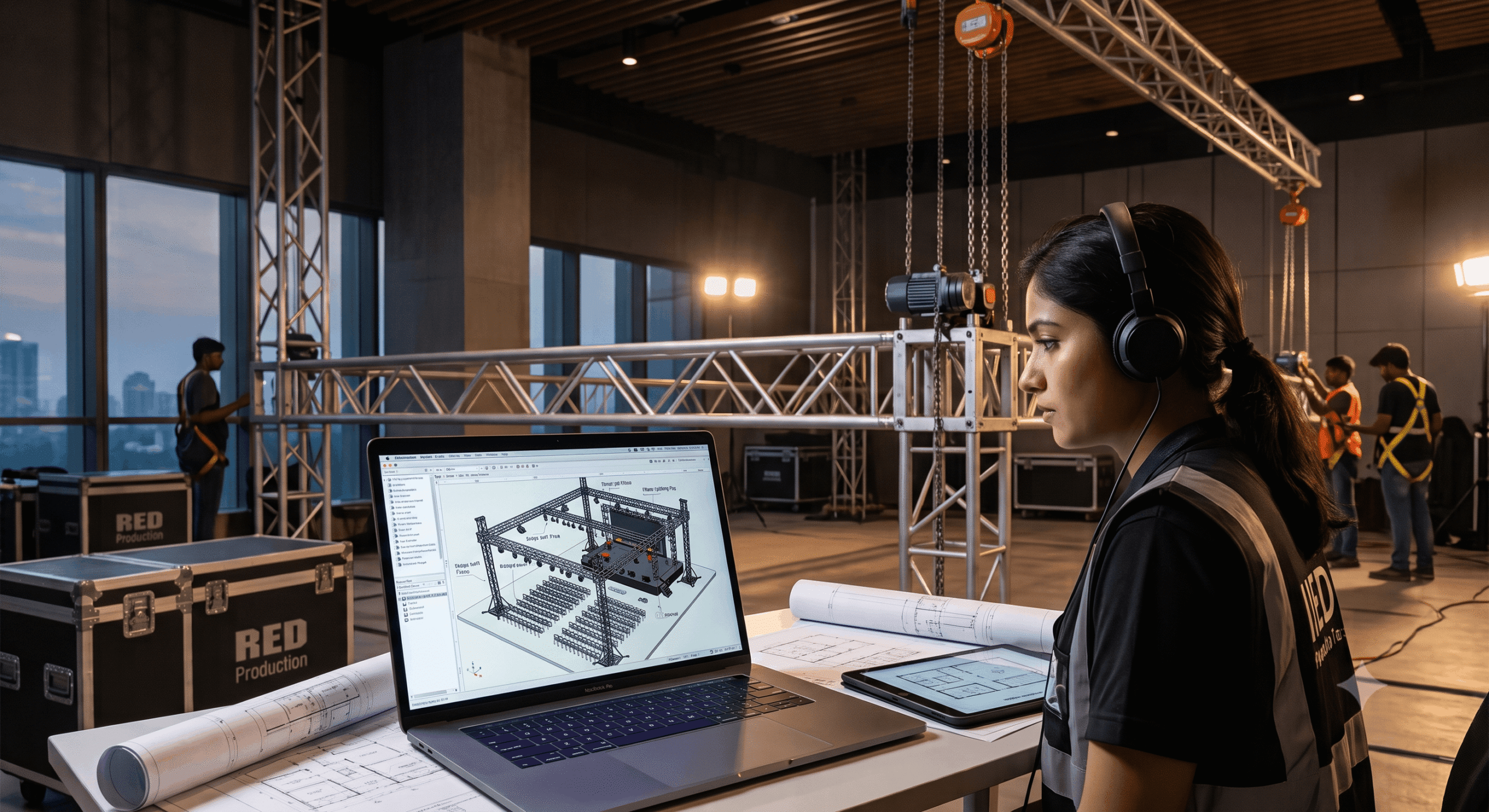
If you’ve got an event management diploma and you’re still hearing “not enough experience” in interviews, the problem probably isn’t your resume. It’s the course. Event management programs teach you how to plan an event. They don’t teach you how to draw a stage layout, build a 3D venue model, or read a truss diagram. Technical production skills for events in India are exactly what’s missing from most event management degrees — and they’re specific, learnable, and faster to pick up than people think.
Three skills close that gap: CAD, Vectorworks, and rigging basics. Here’s what each one actually is, what it’s used for on a real event, and what a hiring manager checks for when they read your portfolio.
Table of Contents
The Skills Gap No One Warns You About
Most people who enroll in an event management course expect it to make them job-ready. It teaches coordination, budgeting, vendor management, client communication — all necessary, none of it technical. Then graduation happens, interviews start, and the same rejection shows up again and again: “You understand planning, but we need someone who can draw the floor plan, not just describe it.”
This is the exact wall that stops event management graduates from moving into design and production roles. Kshiti Jain and Lishika Jain both hit it directly. Both finished event management courses. Both struggled to break into design work on coordination skills alone. Kshiti described it plainly: “After passing out of event management, I found myself struggling to break into the wedding industry.” Both eventually built technical skills and went on to start their own event design companies — but only after closing the exact gap this article is about.
The pattern repeats across the industry. A production company doesn’t need another person who can make a run sheet. They need someone who can open a CAD file, understand a lighting plot, or read a rigging point without asking someone else to explain it first. That is the difference between a coordinator and someone a production house actually hires into a design or production role.
Technical Production Skills for Events in India: What Employers Actually Check For
When a hiring manager at an event or production company reviews a portfolio, three things get checked before anything else: can this person draw a usable floor plan, can they build or read a 3D model of a venue, and do they understand what happens when equipment goes up in the air above a room full of guests. Those three checks map directly onto three skills — CAD, Vectorworks, and rigging basics.
CAD for Events
CAD (Computer-Aided Design) replaces hand-drawn sketches with a professional, to-scale blueprint. On a real event, that means a wedding floor plan with exact table counts and walking clearances, a stage elevation drawing a vendor can build from without guessing, or a concert site map that a production team can use to plan load-in. A coordinator who can hand a vendor a CAD drawing instead of a rough sketch eliminates on-site errors before they happen — and immediately looks more senior than a peer who can’t.
Vectorworks for Event Design
Vectorworks is the industry-standard BIM (Building Information Modeling) software for event documentation globally. Where CAD gives you a 2D floor plan, Vectorworks builds a full 3D model of the venue — trusses, stage decks, seating sections, lighting positions, soft goods — all in one file that a whole production team can work from. It’s the software increasingly named directly inside event and production job descriptions, not just listed as a “nice to have.”
Rigging Basics
Rigging is the practice of safely suspending equipment — trussing, lighting, speakers, scenic elements — above a venue using motors, chain hoists, and load-rated hardware. You don’t need to become a certified rigger to work in event production, but you do need to understand the basics: what a mother grid is, how load limits work, and why a rigging plan gets checked and signed off before anything goes into the air. A designer or production coordinator who understands rigging basics can plan realistically instead of drawing something that’s physically impossible to hang safely.
Skill 1: CAD for Events — Turning Sketches Into Professional Blueprints
IIED’s CAD for Events & Entertainment course is a 1-month, 36-hour program built specifically around this gap — 12 hours of direct training, 12 hours of supervised practice, plus additional guided work. It’s priced at ₹20,000, inclusive of taxes, which makes it a fast, low-cost entry point for someone who already has an event management degree and needs the one missing technical skill, not another full year of study.
The course moves through three levels. Foundation covers AutoCAD navigation, drafting basic objects, precision tools like snaps and layers, and the modify tools (move, copy, rotate, scale, mirror) used constantly on real drawings. Intermediate work introduces reusable blocks — smart, ready-made assets like chairs, stage decks, and lighting fixtures — plus project templates and data extraction, which is how you calculate exact material quantities for a production budget straight from a drawing. Advanced work moves into 3D foundations, turning a flat 2D site layout into a 3D model, and working with XRefs to link external drawings into one master file.
What CAD Actually Looks Like on the Job
Aron Sagar is proof of what this looks like once it’s a real job. He completed the CAD for Events & Entertainment course and was placed in the Operations & Production department at NMACC — the Nita Mukesh Ambani Cultural Centre in BKC, Mumbai, one of the most prestigious venues in the city. He’s the first dedicated CAD-course alumnus to land a role at a venue of that caliber, and it happened because he could hand over a drawing, not just describe an idea.
Varun Jain’s story makes the connection even more direct. After moving to Mumbai from Jodhpur’s wedding industry to complete IIED’s offline Event & Wedding Design Visualization training, he was hired as a Design Associate at The Finale Eventz — starting at ₹45,000 a month on probation and moving to ₹50,000 a month once confirmed. CAD was named directly in the job description he applied against. That’s not a general “design skills preferred” line. That’s a company writing down the exact technical skill they were screening for.
Skill 2: Vectorworks for Event Design — The Software Showing Up in Job Descriptions
IIED’s Vectorworks Spotlight for Event Production course runs for 1 month across 48 hours — 24 hours of live training and 24 hours of self-paced practice. Entry isn’t automatic. It requires a mandatory 4-phase selection process: application, entrance exam, interview, and final selection. That’s a deliberate design choice — it signals real industry-level rigor, not a casual add-on certificate you complete without effort.
Basic-level training covers Vectorworks Spotlight’s interface, document setup, and importing base plans from PDF, DWG, or SketchUp files — the actual file formats you’ll receive from venues and vendors in a real job. Intermediate work introduces layers and classes, viewport management, and the Spotlight resource browser for placing stage decks, seating sections, and soft goods. Advanced training is where it gets closest to a real production job: rigging (truss, mother grids, bridles), lighting device placement, audio/video equipment placement, and building professional technical drawings with title blocks, drawing labels, and dimensions — the exact deliverables a production manager expects to receive.
The Built-In Internship That Makes This Course Different
Completing the course includes a 100% 3-month non-paid internship — not a certificate handed out at the end, an actual placement into working production environments where the software gets used under real deadlines. For someone who already has an event management background and wants the fastest possible route to a production-side role, that structured pathway from classroom to real venue work is the single biggest difference between this course and simply watching tutorials online.
What Makes Vectorworks Different From CAD
CAD and Vectorworks aren’t competing skills — they’re sequential ones. CAD gets you comfortable with precision drafting, scale, and technical drawing conventions. Vectorworks takes that same discipline and applies it inside a full 3D, industry-specific workflow built around event and entertainment production, not general architecture or engineering. Most production teams expect both, which is exactly why event companies increasingly name Vectorworks directly in job listings rather than treating it as optional.
Skill 3: Rigging Basics — The Skill Most Event Graduates Never Touch
Rigging is the one technical skill event management courses almost never mention, and it’s also the one most tied to physical safety. At IIED, rigging fundamentals are built into both the Vectorworks Spotlight course (truss, mother grids, bridles) and the One Year Program in Lighting Design, which dedicates a full safety module to loading, rigging, weight limits, and workplace hazards like smoke, haze, and pyrotechnics — taught by Lloyd Albuquerque, a working Light Director with live-event and concert experience.
You do not need a formal rigging certification to start a career in event production. What you need is enough grounding to know what’s realistic to design, what needs a licensed rigger’s sign-off, and what a rigging plan actually communicates to a production crew. Globally, this is exactly the gap that bodies like the Entertainment Technician Certification Program (ETCP) — run under the Entertainment Services and Technology Association (ESTA) — exist to close through formal rigger certification and published safety standards for the entertainment industry.
You won’t need ETCP-level certification for an entry-level design or coordination role. But understanding the same core principles it certifies — load limits, inspection basics, and sign-off processes — is what separates a design that looks good on paper from one a production crew can actually build safely.
Why Rigging Knowledge Matters Even If You Never Touch a Truss Yourself
Even in a pure design or coordination role, rigging knowledge changes what you draw. A designer who understands basic load limits and mother grid placement won’t hand a production team a beautiful rendering that’s structurally impossible to hang. That single difference — designing something buildable instead of something merely pretty — is often what separates a junior hire from someone trusted with bigger, higher-budget events.
Who This Is For — and Can You Learn It Without a Technical Background?
None of these three skills require an engineering or architecture degree. IIED’s CAD and Vectorworks courses are both built for 10+2 eligibility, and the entrance processes (entrance test, interview, selection) exist to check commitment and basic aptitude, not prior technical qualifications. If you already have an event management diploma, you’re arguably starting ahead — you already understand event logistics, client needs, and how a live show comes together. What’s missing is purely the technical execution layer, and that’s a much narrower, faster gap to close than starting from zero.
This is precisely the position many event management graduates are in: a diploma in hand, real coordination knowledge, and a string of rejections for roles that specifically wanted design or production skills. It’s also relevant if you’re still deciding on a direction after graduation and want a concrete, checkable list of what “hireable” actually means in this industry — rather than vague advice to “build your portfolio” or “network more.”
Design isn’t confined to people with an art or architecture background either. Sindumathi left a Chartered Accountancy path entirely once she realized her real interest was in event layout and aesthetics, not balance sheets — she’s now a professional Wedding Design Consultant. The technical layer is learnable at any starting point, including a completely unrelated academic background.
How Long It Actually Takes to Become Job-Ready
This is where the math works in your favor. CAD for Events & Entertainment is a 1-month, 36-hour course. Vectorworks Spotlight for Event Production is also 1 month, at 48 hours, plus the 3-month internship that follows it. Rigging fundamentals are built into both that Vectorworks training and the lighting design safety curriculum, rather than requiring a separate multi-month course on their own.
Realistically, someone who already holds an event management diploma can pick up CAD in a month, move into Vectorworks the following month, and be inside a structured 3-month internship using both skills on real production work within roughly four to five months of starting — not the additional one to two years a second full degree would take. That timeline is exactly why this path exists: it’s built for someone who has already invested in one qualification and needs the missing technical layer added on top, fast.
Real Placements: What Happens After You Learn These Skills
The proof isn’t theoretical. Aron Sagar went from CAD training directly into the Operations & Production department at NMACC, one of Mumbai’s most prestigious cultural venues. Varun Jain moved from Jodhpur’s wedding industry into a Design Associate role at The Finale Eventz, with CAD named directly in the job description and a confirmed salary jump from ₹45,000 to ₹50,000 a month. Kshiti Jain and Lishika Jain both used technical design training to move past the exact wall that stops most event management graduates — and both now run their own event design companies rather than working for someone else.
None of these outcomes came from “passion” alone, and none of them came from a second full degree. They came from adding a specific, learnable technical skill on top of coordination knowledge that was already there.
Ready to Close the Gap?
You already have the coordination knowledge. What’s missing is specific, and it’s fixable in months, not years. Book your free visit to IIED in Malad East, Mumbai, and walk through the CAD and Vectorworks curriculum with Raj directly — see exactly what you’d be learning before you commit to anything.